The thought shows up on the couch, mid-meeting, or halfway past the store. PickOnWay catches it the second you have it — and hands it back when you're actually there.

Sound familiar?
Every errand you forget fails in one of three places. They're all the same problem — remembering and arriving happen at different times.
It lands while you're doing something else entirely. By the time you could write it down, it's gone.
You're standing in the store scrolling through notes, trying to reconstruct a list you never really made.
The worst one. You drove right past the store, and it only comes back to you once you're home.
How it works
One sentence when the thought arrives. Nothing to check, nothing to open. The reminder comes to you.
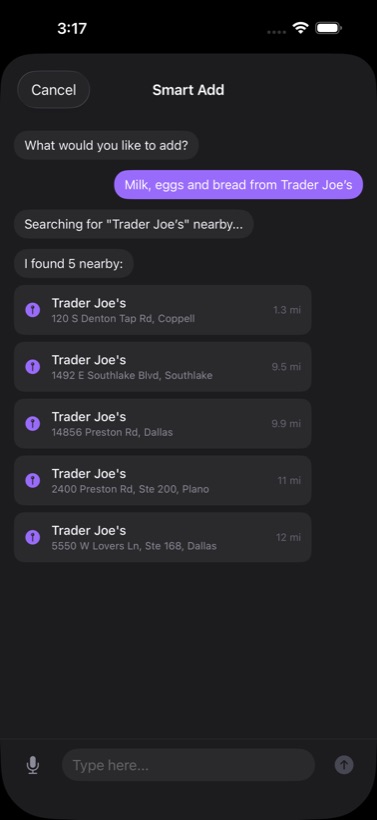
Say it in one line the moment it lands — “milk, eggs and bread from Trader Joe's” becomes three errands at the nearest one.
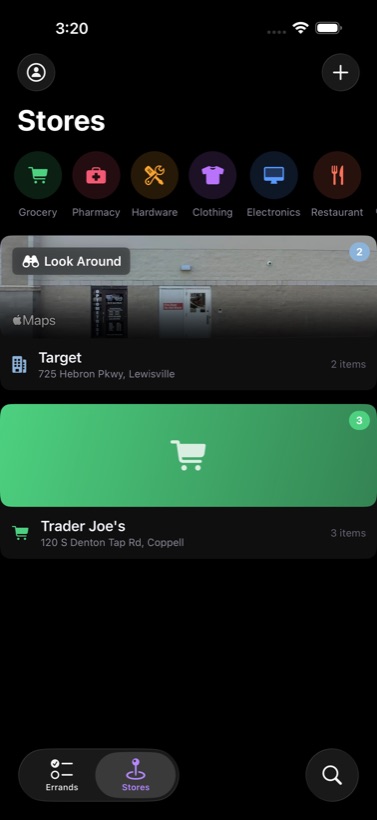
That's the point. PickOnWay holds onto it and watches for the stores you saved, so you don't have to keep it in your head.
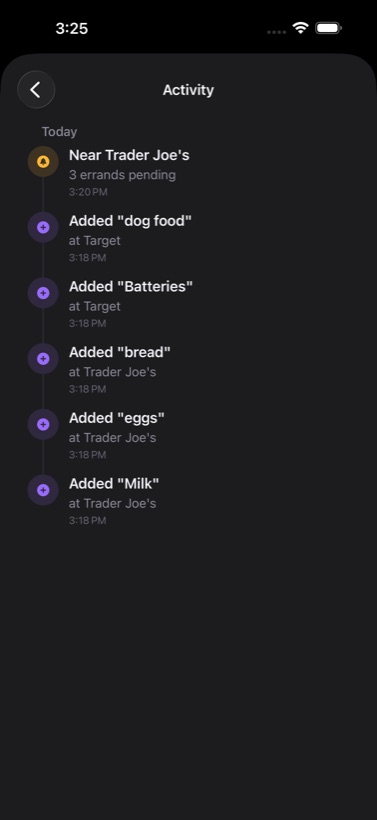
About a mile out, your phone tells you what's waiting and offers directions — while you can still turn.
Smart Add
Say a whole sentence and it sorts out the details — splitting items, finding the actual store, and showing you how far away each one is.

Built for the road
Approach alerts are time-sensitive, so they reach you through Driving Focus — the one moment the reminder is worth anything.

CarPlay & navigation
The alert is built to be handled without picking up your phone. Approach notifications carry their actions into CarPlay, so the reminder and the turn happen in the same place.

On your wrist
Dictate straight from the Watch, check items off with a tap, and it syncs back automatically.

Private by design
There are no servers, because there's nothing to send. Store searches go to Apple Maps; voice goes to Apple's speech recognition. Neither reaches us — we don't run a backend at all.

Pricing
or $59.99 / year
Payment is charged to your Apple Account at confirmation of purchase. Subscriptions renew automatically unless auto-renew is turned off at least 24 hours before the end of the current period. Manage or cancel anytime in Settings › Apple Account › Subscriptions.